Using the National Cooperative Soil Survey (NCSS) Web Soil Survey
Four Basic Steps make Web Soil Survey (WSS) a simple yet powerful way to access and use soil data.

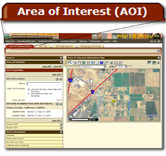
Use the Area of Interest tab to define your area of
interest. You can navigate to an area by zooming in on a
map or by selecting from a Quick Navigation choice list. After
you find the area, define it as the Area of Interest (AOI) by
drawing a box around it using a map tool. You must complete
this step before you can go on to the next two steps.

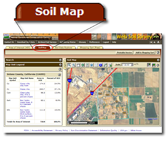
Click the Soil Map tab to view or print a map
of the soils in your area and view a description of the
soils, or click the Soil Data Explorer tab to access soil data
for your area and determine the suitability of the soils
for a particular use. The items
you want saved in a report can be added to your shopping cart.

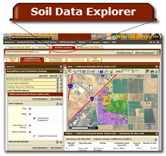
Click the Soil Data Explorer tab to access soil data
for your area and determine the suitability of the soils
for a particular use. The items you want saved in a report can be added
to your shopping cart.

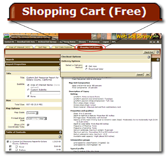
Use the Shopping Cart tab to get your custom
report immediately or download it later.
Accessibility Features
View Web Soil Survey accessibility features through the following link: Accessibility Features.
The U.S. Department of Agriculture is committed to making its electronic and information technologies accessible to individuals with disabilities by meeting or
exceeding the requirements of Section 508 of the Rehabilitation Act (29 U.S.C. 794d), as amended in 1998. Section 508 is a federal law that requires agencies to
provide individuals with disabilities equal access to electronic information and data comparable to those who do not have disabilities, unless an undue burden
would be imposed on the agency. The Section 508 standards are the technical requirements and criteria that are used to measure conformance within this law.
More information on Section 508 and the technical standards can be found through the following link: Section 508 Information.
Suggestions
View some helpful tips and shortcuts through the following link:
Tips & Shortcuts.
Throughout Web Soil Survey, context-specific help is available in a specific panel or dialog by clicking the following question mark icon:  . .
When you are done, always click the
Logout link next to the
Help link. Clicking the Logout link allows the
application to release the resources used by your session
immediately, instead of having to wait 40 minutes for your
session to time out.
|





